Bulk URL Removal, Inspection & Indexing for Google Search Console
Effortless console cleanup in one Chrome extension — bulk URL removal, bulk inspection and instant indexing across Google Search Console, Bing Webmaster Tools and Yandex.






Trusted by over 8,000+ users.
$29/year, or $59 lifetime. $5 Day Pass available. Ideal for teams, supports up to 5 devices.
Free. No card required.

Supported Platforms



All the features you need
Indexing, Inspection, Removal, Reporting and more.
Supports Google Search Console & Bing Webmaster Tools
- Bulk Indexing URLs to Google, Bing & Yandex
- Save time by submitting multiple URLs for indexing at once. We’ll automatically submit them to Google, Bing, and Yandex (IndexNow).
- Bulk Inspection URLs Google Search Console
- Gain valuable insights into your website's performance by inspecting multiple URLs at once. We’ll automatically inspect them in Google Search Console.
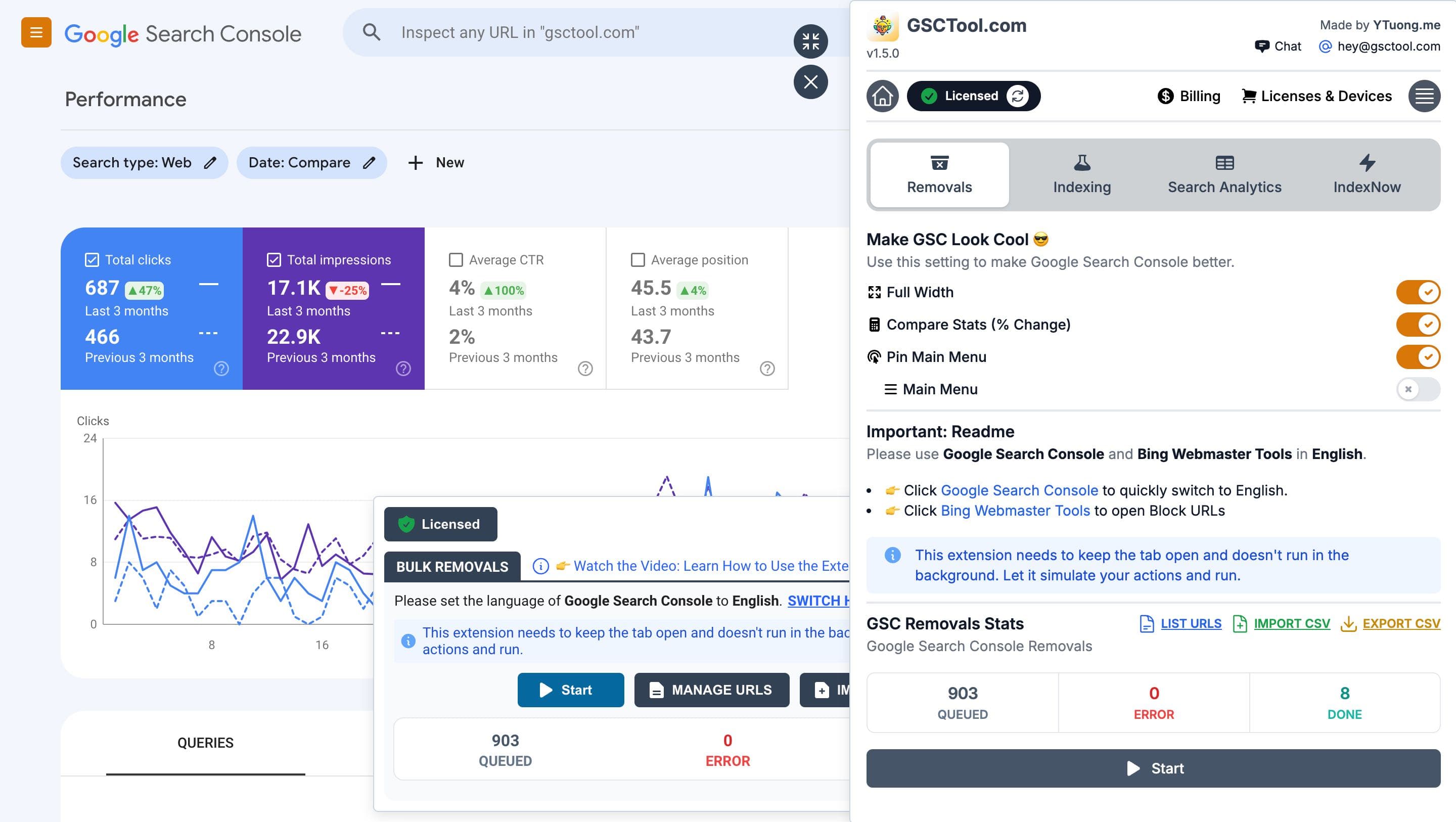
- Bulk URL Removal
- We’ll automatically remove all the URLs that are causing problems for your site, so you can focus on what matters most: making money.
- Import, Export and more.
- Easily import and export your data to CSV files, so you can use it in other programs.
- Settings and Configuration.
- Customize your Bulk URL Removal settings to fit your needs. You can set the delay between each request, Temporary Removal or Clear Cached URL, and more.
- Manage your URLs.
- Manage your URLs with ease. Search, filter, and sort your URLs to find the ones you need quickly.
- Export Complete Google Search Console Data.
- Export all your Google Search Console data to CSV files, so you can use it in other programs.
- Supports Google Search Console & Bing Webmaster Tools
- We support both Google Search Console and Bing Webmaster Tools, so you can use the tool that works best for you.
- And more...
- We’re always adding new features to make your life easier. If you have any suggestions, let us know!
Google Search Console
Bulk URL Removal Tool
Efficient tools for swiftly removing multiple URLs or website pages from search engine indexes, simplifying content management.
Bulk URL removal: how it works, quotas and CSV format
- Import CSV
- Import your CSV file with all the URLs you want to remove. We’ll automatically remove them from Google Search Console.
- Export CSV
- Export your CSV file with all the URLs you want to remove. We’ll automatically remove them from Google Search Console.
- Search, Filter, and Sort URLs
- Search, filter, and sort your URLs to find the ones you need quickly.
Google Indexing, Bing, Yandex & IndexNow
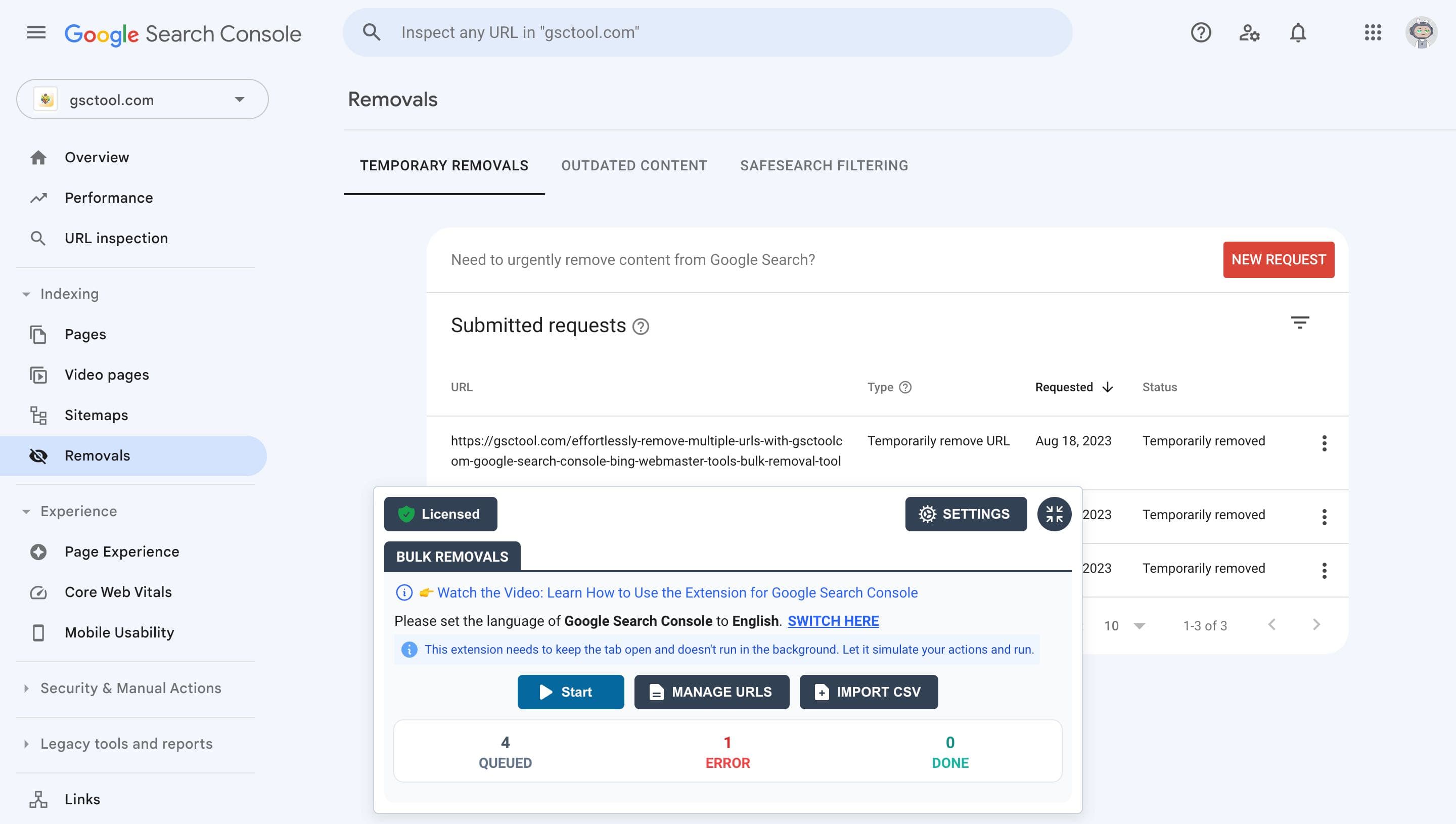
Bulk Instant Indexing
Instantly index your URLs by Google, Bing and Yandex by IndexNow. No third-party service needed.
Bulk indexing: Indexing API and IndexNow, step by step
- Bulk Indexing (Google Quota: up to 200 URLs/day, IndexNow Quota: up to 10,000 URLs/day)
- Submit your URLs for indexing using the Google Indexing API. You can also submit your URLs to Bing and Yandex for indexing with IndexNow.
- Setup Once, Index Forever
- Set up the Google Indexing API once and index URLs forever.
- No Third-Party Service Needed
- Easily index your URLs without relying on any third-party services.
Google Search Console
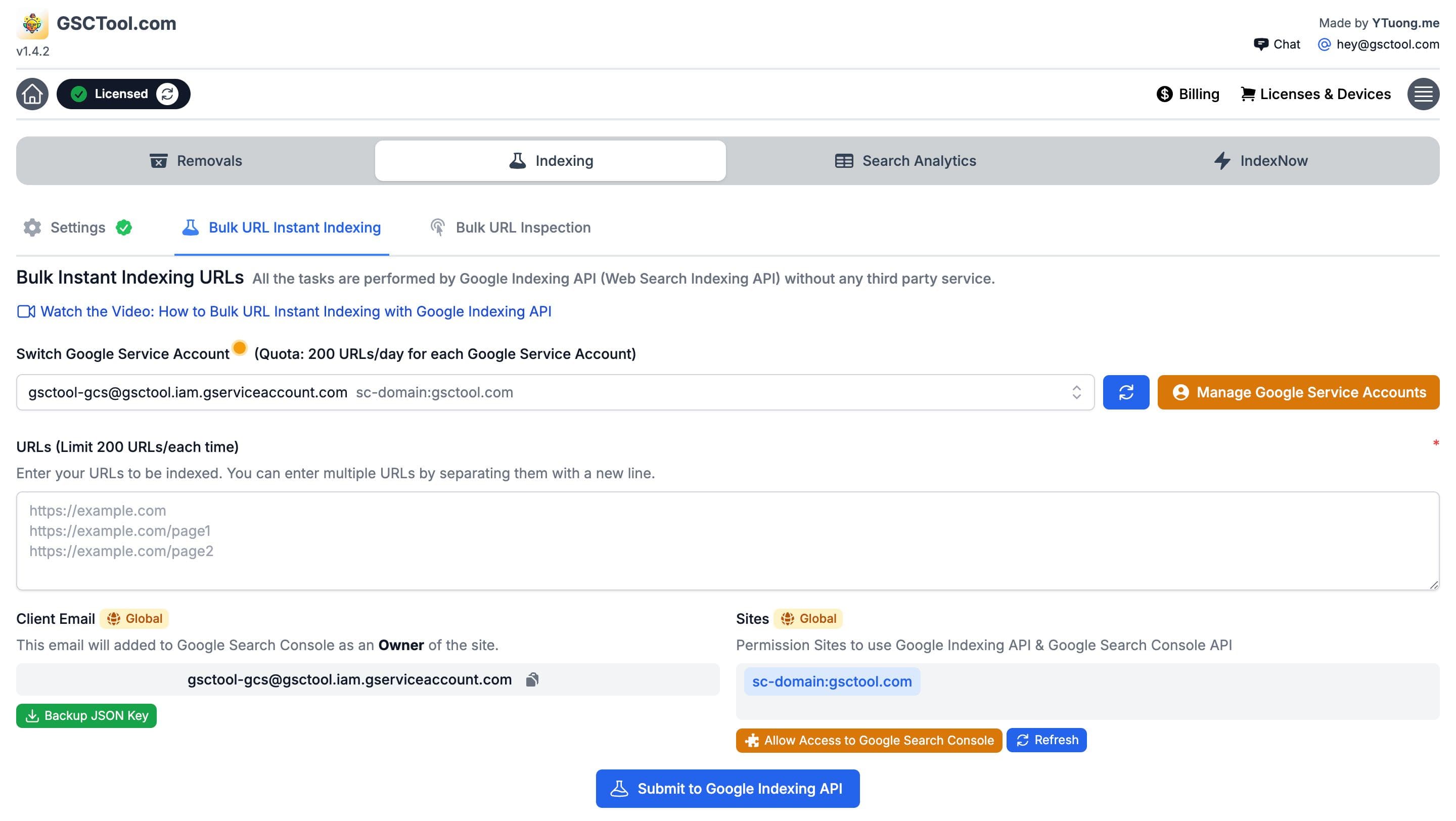
Bulk Inspection Tool
Bulk URL Inspection Tool allows users to easily inspect multiple URLs and request indexing for them.
Bulk URL inspection: check a whole sitemap at once
- Bulk Inspection (Quota: up to 1,000 URLs/day)
- Inspect your URLs using the Google Search Console API.
- Setup Once, Inspect Forever
- Set up the Google Search Console API once and inspect URLs forever.
- No Third-Party Service Needed
- Easily inspect your URLs without relying on any third-party services.
Google Search Console
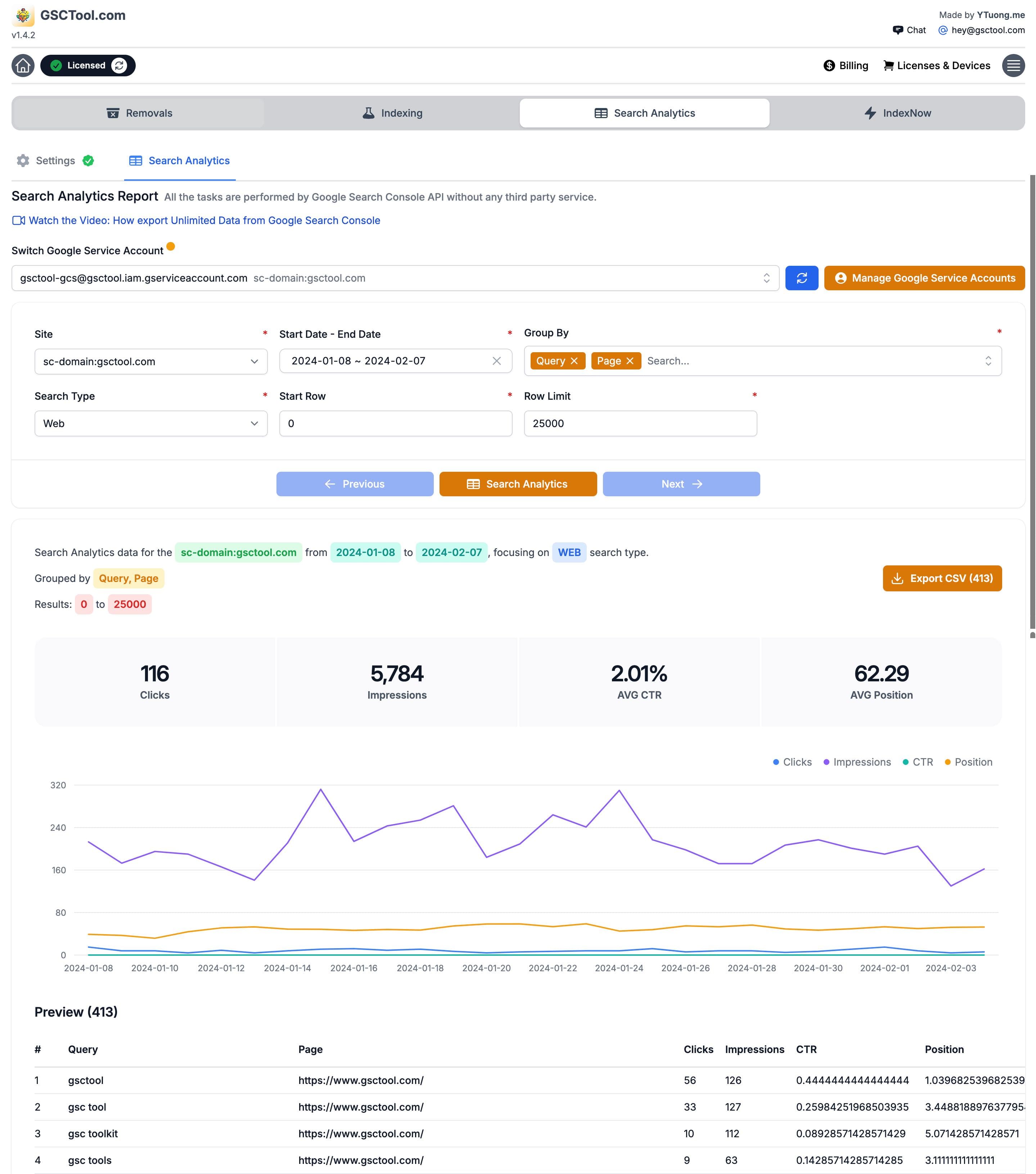
Export Complete Google Search Console Data
Export all your Google Search Console data to CSV files, so you can use it in other programs.
Exporting Search Console data past 1,000 rows
- Search Analytics & Export Performance Report
- Get a detailed report of your website’s performance in Google Search Console. Export the data to CSV files, so you can use it in other programs.
- Setup Once, Query Forever
- Set up the Google Search Console API once and query forever.
- No Third-Party Service Needed
- Easily query your website’s performance without relying on any third-party services.
What people do with GSCTool
Reviews from the Chrome Web Store and from people who wrote in.
“Thank you for creating this tool. I needed to remove 569 pages from a client’s old WordPress site in Google Search Console. This would have taken me forever!! People like you make the world a better place.”
AJ Matzick “This is a great tool. I was able to remove 1000+ pages from my site in a matter of minutes. I highly recommend this tool.”
Derek “Very useful tool. Thanks for creating it.”
Vu Nguyen “Awesome tool. Thanks so much!”
Exull Mode Việt Nam
More reviews
Unlock all the features of GSCTool.com and support an indie dev.
Start free. Upgrade when you need the full quotas: $29/year, $59 lifetime, or a $5 day pass. Every paid license covers up to 5 devices.
Free

$0
It's free. No credit card required.
- Try it for FREE without license key
- Limited functionality
- Regular updates and new features
Yearly - 1 Year License
$29
Save 20%: 20OFF🙅♂️ No Subscription
Pay with PayPalPay with Card- License for up to 5 devices
- Unlock all features
- Receive all updates and new features
Lifetime - Pay once, own it forever
$59
Save 20%: 20OFF🙅♂️ No Subscription
Pay with PayPalPay with Card- License for up to 5 devices
- Unlock all features
- Receive all updates and new features
Day Pass
Need the tool for one job? A $5 day pass unlocks everything for 48 hours.
Secure payment via Lemon Squeezy
Risk-free! 14-day Money Back Guarantee
If you're not happy with the product, we will refund. No hassles, no questions asked.
Send us an email at [email protected]
Frequently asked questions
Something not covered here? Email [email protected].
What is GSCTool?
GSCTool is a Chrome extension for Google Search Console and Bing Webmaster Tools. It adds the bulk actions the consoles are missing: bulk URL removal, bulk URL inspection, bulk indexing through the Google Indexing API and IndexNow, and a full export of your Search Console performance data.
How do I remove multiple URLs from Google Search Console at once?
Open the Removals report in Search Console with the extension installed, paste your list or import a CSV, choose Temporary removal or Clear cached URL, and start the job. GSCTool queues the requests, lets you set a delay between them, and shows what succeeded, what is pending and what errored — so a list of hundreds of URLs runs unattended instead of one dialog at a time.
Can I remove or block URLs in Bing Webmaster Tools too?
Yes. The same CSV workflow drives the Block URLs tool in Bing Webmaster Tools, so a site cleanup covers both search engines.
How does bulk URL inspection work?
It calls the Search Console URL Inspection API with your own credentials, up to 1,000 URLs a day, and returns the index status, the Google-selected canonical and the last crawl date for each URL. Results export to CSV, which is how you check a whole sitemap instead of pasting URLs into the inspection box one at a time.
How do I submit URLs to Google for indexing in bulk?
GSCTool talks to the Google Indexing API with a service-account JSON key you create yourself — up to 200 URLs a day per project, and you can add multiple service accounts. For Bing, Yandex, Naver and Seznam it uses IndexNow, which accepts up to 10,000 URLs a day.
Does GSCTool send my Search Console data to a third-party server?
No. The extension runs in your browser and talks to Google and Bing with your own credentials or service-account key. There is no middleman service holding your data.
Which browsers does the extension work in?
Chrome and other Chromium browsers — Edge, Brave and Opera included. You install it once from the Chrome Web Store.
Do I need a Google Cloud project to use it?
Only for the API-based features: bulk indexing, bulk inspection and the full data export need a service-account JSON key from Google Cloud. Bulk URL removal in Search Console and bulk blocking in Bing work without one.
Is there a free version?
Yes. Install it and use the free tier with limited functionality — no credit card. Upgrade when you need the full quotas: $29 a year, $59 lifetime, or a $5 day pass.
How many devices can I use one license on?
Up to 5 devices per license, which is enough for one person's machines or a small team.